
Unless you live under a rock, you are well aware that October is Breast Cancer Awareness Month. Whether you are at the supermarket, the mall and even the Bank you are surrounded by those who are wearing pink and working to help raise awareness and money for a cure! It is very easy to get involved and I came across a great website that can help you get started! It’s Susan G. Komen’s Passionately Pink for the Cure® website. (www.Passionatelypink.org) Not only is Passionately Pink for the Cure is a fun way to start a fundraiser for Susan G. Komen for the Cure® it is so simple (and FREE!) to get started and supplies you with tons of information and support materials at your fingertips.
Here is how you can get started:
1. Register as a Passionately Pink Team Captain. The registration process should take you less than 5 minutes and when you are done you will have access to your own customizable Passionately Pink fundraising page, where you can accept donations and track your progress!
2. A Passionately Pink Fundraising Kit containing promotional and educational material, collectible lapel pins and much more will come in the mail approximately 2 weeks after registration. (All promotional and educational materials are also available right online for download)
3. Roll Out the Pink Carpet and have fun going passionately Pink for the Cure! Whether you are having a Jeans Day, a bake sale, girls night out or something completely different, wear pink, have fun and join in the promise to find the cure for breast cancer!
Pink is not just a color...it is the strength, hope, faith and courage for all the women fighting to become a survivor! Be tough enough to Rock the Pink and show the world you care!
~Rebecca Procops Marketing Coordinator
Thursday, October 13, 2011
Breast Cancer Awareness Month


Thursday, October 6, 2011
We will miss you - Steve Jobs

It was a sad news when I heard Steve Jobs (one of my favorite idols) passed away last night .
I remembered the first computer I used in school, and now with all the “ i “products around my house (I believe in yours too), we cannot deny his creative inventions have greatly influenced the world and brought us to the “future”.


Here are my favorite inspirational quotes by Steve Jobs found on mashable.com ( http://mashable.com/2011/10/05/steve-jobs-quotes/):
- “Being the richest man in the cemetery doesn’t matter to me. Going to bed at night saying we’ve done something wonderful, that’s what matters to me”
- “You can’t just ask customers what they want and then try to give that to them. By the time you get it built, they’ll want something new.”
- “When I was 17, I read a quote that went something like: “if you live each day as if it was your last, someday you’ll most certainly be right” It made an impression on me, and since then, for the past 33 years, I have looked in the mirror every morning and asked myself” If today were the last day of my life, would I want to do what I am about to do today?” And whenever the answer has been “No” for too many days in a row, I know I need to change something.”
- “I want to put a ding in the universe.”
We will miss you Steve Jobs...
by KaShing E-marketing Specialist at WAC Lighting
Monday, August 29, 2011
Our New York office power is back!
To our valued customers:
We are pleased that our New York office power is back to normal and our lighting professionals are ready to assist you.
Thank you for your time and patience!
Important Message - August 29, 2011
To our valued customers:
Due to recent inclement weather, we are experiencing a temporary power outage in our NY office. We are still fully operational in our Los Angeles office and will continue to ship orders and field customer calls from that location. Should you need assistance, please call us at 800.526.2588 or email: waclightingny@yahoo.com
Sorry for any inconvenience,
WAC Lighting team
Thursday, August 25, 2011

Monday, July 11, 2011
A short instruction on how to calibrate and use Luxmeter pro 2 in iphone
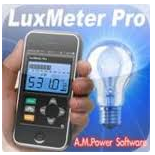
LuxMeter Pro 2.0 App for the iPhone is a software in iphone that can identify the light level on a certain object. It uses the camera to collect the light from a light source or reflected from the object surface and then based on the amount of light determines the light level.
Unlike other professional photometric test devices, this software simply “grab” some light and it cannot tell how much light (lumens) it has collected. Therefore, all the values it gives is just relative light output and it has to be calibrated before using.
There are two ways of calibrations:
1. Use standard incandescent lamps and the benchmarked values on line:
http://itunes.apple.com/us/app/luxmeter-pro/id408369821?mt=8#
For example, if we use 40W incandescent lamp, the benchmarked lux is 490lx.
a. In the software panel, click on the “calib” button. Then the screen becomes a large window.
b. Move the camera properly until the incandescent lamp is shown in the window.
c. Tap on the lamp in the window so the camera will focus on it automatically. This means you selected this as a light source.
d. Manually change the scroll bar at the bottom and see the value at the right of the scroll bar. Adjust it until the value gets close to 490lx.
e. Then click “exit”
Now you have done the calibration and you can take the measurement.
2. Use an illuminance meter as a reference:
a. Use any light source to light a diffuse and high reflective surface. (A white wall is also OK)
b. Put the illuminance meter sensor close to the surface and measure the reflected light. (Note: the sensor is facing the surface not the light source)
Do not cover the shadow area.
c. Write down the value on the illuminance meter. Then use the iphone to focus on that surface and do the calibration in the same way as the method 1. Use the illuminance value as the reference.
This meter is only suitable to measure some light level on diffused surface, such as desk, carpet, brick, wall, ground, etc. To measure the lux from a light source is meaningless and not accurate. If the light is too strong, this meter may get saturated and it doesn’t show a data. In this case, you can try clicking on “Scale” button. Then the maximum value it can show is 10 times bigger. If in this case it is still saturated, then come to R&D department and ask for an illuminance meter.
Tuesday, March 22, 2011
WAC Lighting QP-501 Installation Instruction
Check out our new installation video on WAC Lighting QP-501 socket set!
Subscribe to:
Posts (Atom)